
Mesh with FRITZ! explained in a nutshell
go directly to the main content
Mesh with FRITZ! explained in a nutshell
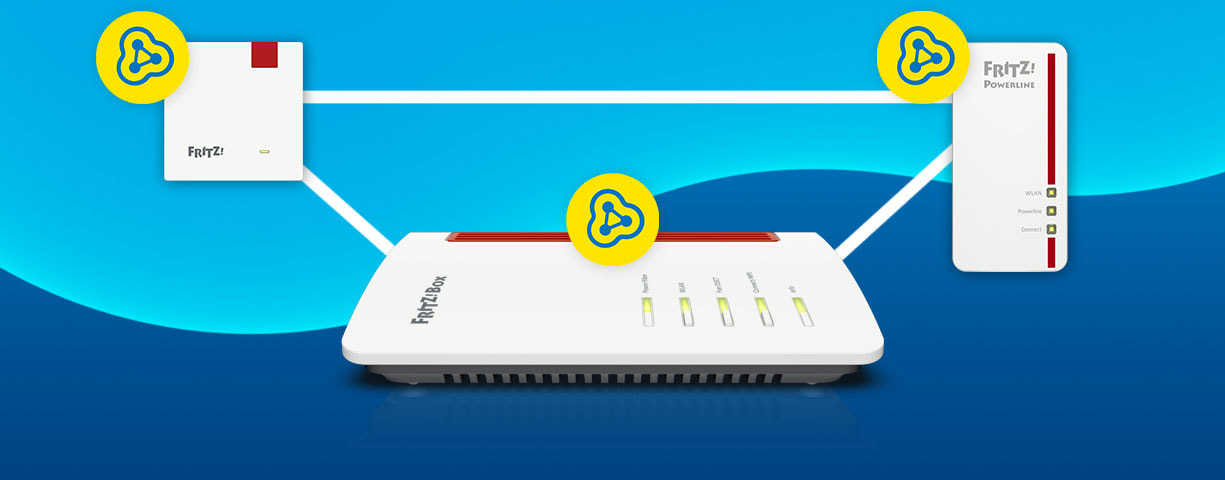
FRITZ! Mesh designates a powerful, interference-free Wi-Fi network with maximum speed even for demanding network environments – without disruptions or latencies!
Thick walls, disruptive radio signals or elongated floor plans - sometimes the Wi-Fi network of the FRITZ!Box does not reach all remote corners of a home or office network. In order to benefit from fast Wi-Fi even under challenging spatial conditions, you can deploy additional FRITZ! products. Thanks to Mesh Wi-Fi technology the wireless networks of all connected FRITZ! products are combined into a single Wi-Fi network at the press of a button.
Brief video explanation of Mesh
The Centrepiece: The Mesh Master
As the Mesh Master, the FRITZ!Box or selected FRITZ!Repeaters act as the central hub in the Mesh, while all other FRITZ! wireless access points of FRITZ! work as Mesh Repeaters. All connected Mesh Repeaters adopt the Wi-Fi network settings of the Mesh Master. If an update is available for any of the connected FRITZ! products, you can install it directly from the Mesh Overview. You can also manage and control connected smart home devices via the Mesh Master.
When temperatures are warm, your customers want to work in the garden or on the patio? Temporarily insert a Mesh Repeater near the window so that the Wi-Fi reaches outside. The Mesh settings remain intact, no matter how often you change the position of the Mesh Repeater.
Find out which FRITZ!Repeaters can be used as Mesh Masters and whether a Mesh Set or a single FRITZ!Repeater is the better choice for your customers in our article “Mesh Set or Repeater”.
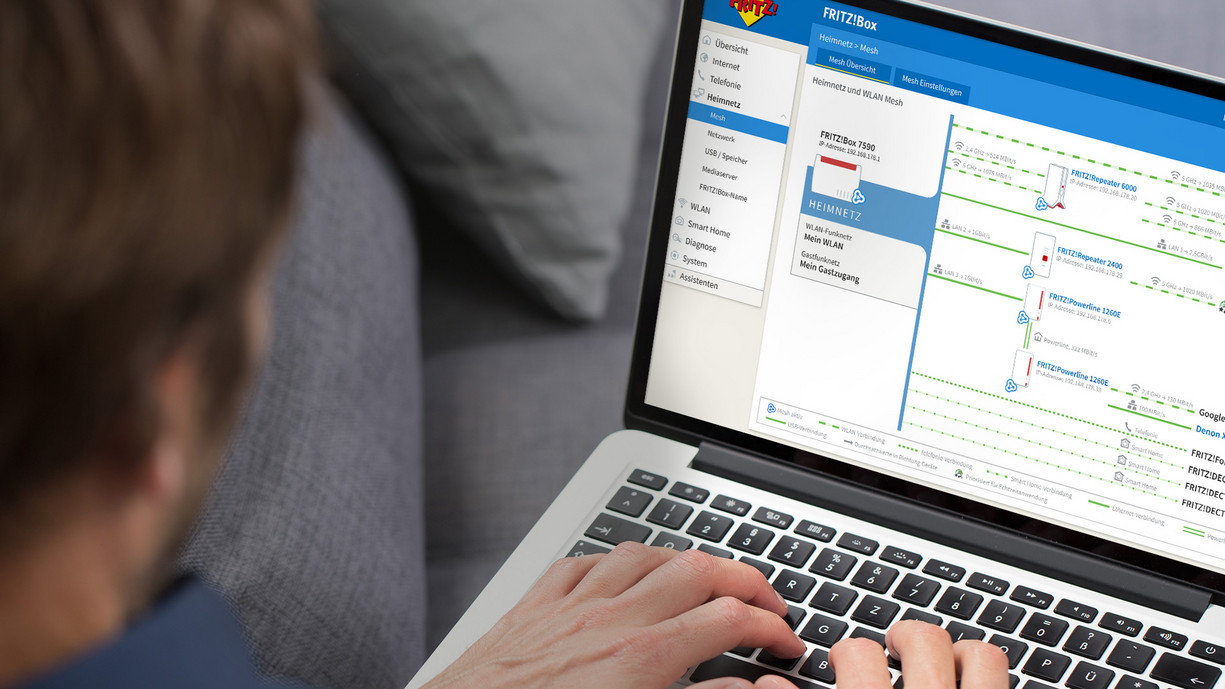
Mesh – there's a lot to it.

WLAN Mesh Steering
Automatically directs Wi-Fi devices to the Wi-Fi access point with the best signal and the highest-performance frequency band.
Cross Band Repeating
Always uses the Wi-Fi band with the fastest connection on FRITZ! repeaters.

IPTV and Streaming Optimizations
Ensures uninterrupted video and music enjoyment at all times.

Beamforming
The antennas transmit directly toward the devices—for even greater range and speed.
WLAN Mesh Steering
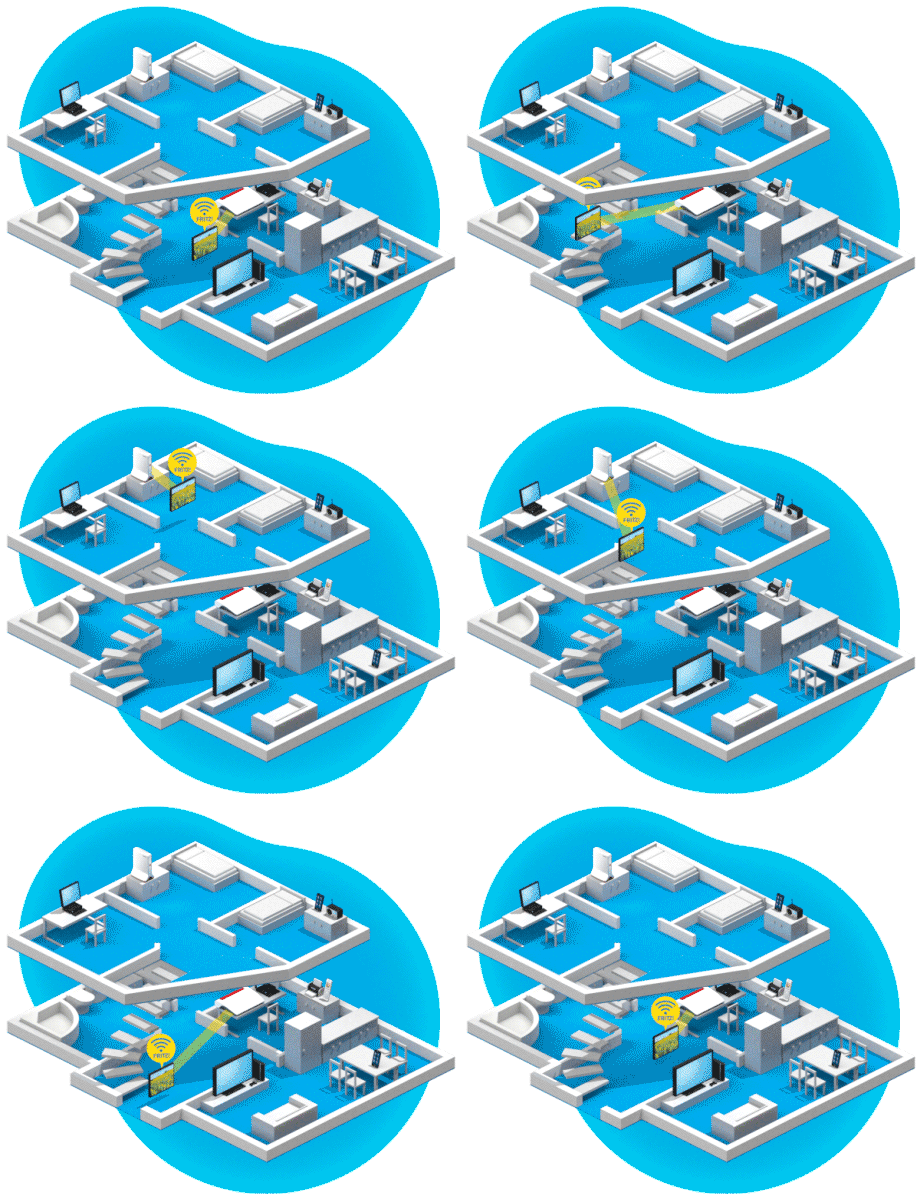
Optimal performance in the home network is provided for by Mesh Wi-Fi steering. The Mesh Master automatically steers wireless devices to the wireless access point with the best Wi-Fi reception. For faster data transmission it checks whether the wireless devices can switch frequency bands. At the same time, Mesh Wi-Fi steering ensures that the load on the Mesh Repeaters stays manageable.
Find out here how you can further optimise the FRITZ!Box wireless network.
Telephony in the Mesh
Wi-Fi performance is not the only aspect to benefit from the - if an additional FRITZ!Box is located in the home network, you can make phone calls via the second FRITZ!Box as well. The phone numbers on the Mesh Master are adopted and its phone book can be accessed by all phones in the home network.
Have any questions?
We're happy to answer them for you! You can find out how to get in touch with your contact person under Contact.
 Deutschland
 Österreich
 España
 Schweiz
 Italia
 Nederland