
Failsafe
go directly to the main content
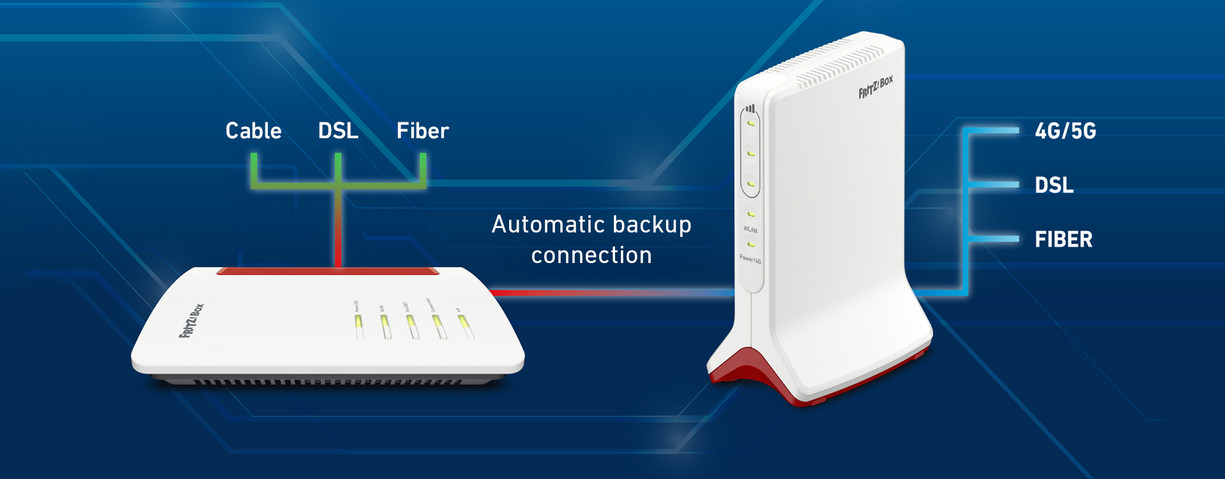
Failover protection with the FRITZ!Box
The term 'failover' refers to the automatic switching of the router to an alternative internet connection in the event of an internet connection interruption. The goal of the failover is to increase the reliability of the internet connection.
Previously, the FRITZ!Box supported the failover via a mobile network dongle connected to the FRITZ!Box, or via USB tethering. However, many FRITZ!Box models are operated at locations where mobile reception is either impossible or significantly curbed.
Therefore, with FRITZ!OS 8.20 or higher, the FRITZ!Box additionally supports the failover to a router, e.g. another FRITZ!Box, that is connected to the FRITZ!Box via LAN cable.
If the primary internet connection (e.g. DSL, cable or fiber optic) fails, the FRITZ!Box automatically switches to a second connection (usually via a mobile network). For this, a second router is required that is connected directly to the FRITZ!Box via LAN. The switch can be performed immediately or after a specifically defined interval.
Important information
- The FRITZ!Box and the failover protection router must have different IP ranges.
- The failover protective router must be connected to a LAN or WAN port on the FRITZ!Box.
- To be able to access the FRITZ!Box from the internet (for example, with MyFRITZ!) in the event of a disruption, the failover protection router must support PCP (Port Control Protol) and must also be accessible from the internet.
Configuring failover protection
In the FRITZ! Knowledge Base you will find precise instructions for configuring Failsafe in your FRITZ!Box.
Have any questions?
We're happy to answer them for you! You can find out how to get in touch with your contact person under Contact.
 Deutschland
 Österreich
 España
 Schweiz
 Italia
 Nederland